Voici l’équipe : directeur général Topsec, Niall Mackey

Meet The Team: Niall Mackey Sales Managing Director Send an Email Niall Mackey Commercial Director Our MD is a sports fanatic, plays pickleball at league level and enjoys celebrating the wins in life. We recently sat down with a cup of tea to discover more of what makes Niall tick. What ensued was a great conversation. We trust you will enjoy it too! Q. 1 Can you share key experiences that led to your role at Topsec Cloud Solutions and how they shape your approach? Niall: A story I tell quite frequently is how I landed up in IT because I was avoiding the religious studies class at school. From an optional study point of view there were just two choices – IT or religious studies. I suppose this is the part where we say “and the rest is history”. But all jokes aside, this key experience does speak of one of the foundational aspects to the approach that led me to my role at Topsec Cloud Solutions which is that I followed my curiosity. Then another stroke of luck came my way in my early career in that “I discovered that while I loved the tech I could also communicate well with people.” This led to my tenure being the IT Manager at Bank of America where my team and I developed the first paperless office! In time, I also held roles at Interoute, Nokie Networks and Horse Racing Ireland. In January 2008, I joined Topsec. All these years later, I still find the work we do fascinating to protect our clients’ businesses from cyber threats. I greatly enjoy the people I work with, both our team and our clients, and I make it my personal mission to fight the baddies every day. Q. 2 Can you outline major shifts in email security and their impact on Topsec’s strategies and the industry? Niall: Firstly, the optics for cyber hackers are changing. For too long, the prevailing image was one of a lone wolf teenage hacker in a hoodie drinking a redbull hacking through firewalls. Now, people are waking up to the fact that cybercriminals run massive businesses themselves. You can now purchase “ransomware as a service” just as you can do for software. Then, when I joined Topsec, most organisations had on-prem solutions. Easily 90% of businesses had their entire business based on their premises. Topsec was always flying the flag for cloud-based solutions, before this term even entered the mainstream. Now, I’d say 98% of our clients have cloud-based email security data solutions. The next big shift I witnessed was the emergence of ransomware. Again, it’s now a commonplace term but it was not even a factor when I first moved into email security. Topsec was ahead of the curve on this one because we had identified that links could be weaponised and developed a URL protector. Our URL protector goes up to 10 links down to check for any poisoned links in the “long tail” behind the link a client may be asked to click on. Quite frankly, our URL protector is the best in the business. Q. 3 How do you ensure a human-centric sales approach amidst technical complexities, and can you share examples? Niall: Although the image of cybersecurity is heavily focused on the tech side of things, it’s not difficult to remember that humans are at the absolute centre of what we do. Cyber attacks have really serious implications and those are borne by the people in the organisation. Especially by those in leadership positions. One of Topsec’s chief differentiators is that we actually have highly trained experts monitoring all of clients’ businesses. Yes, we make extensive use of AI capabilities, and we see technology as an integral part of the “cybersecurity solution stack” for all businesses, but you cannot replace human expertise. We tell our clients our team will know you have a problem before you do – and we’ll already be on it sorting it out. Time and time again, we’ve been told this is why we’ve won their business by clients. Our human touch is highly valued. Q. 4 Highlight a significant success story during your tenure at Topsec that exceeded expectations. Niall: We work with both small and large companies across many industries. To name just a few, we currently have clients in engineering, intellectual property, food, healthcare, agriculture and forestry among others. Our case studies provide real world examples of the work we do for these clients. And the impact this work has had in protecting our clients from cyber attacks. Q. 5 What emerging trends in email security excite you, and how is Topsec preparing for them? Niall: AI is the big new thing on the block, but all the hype takes away the true game-changer this type of technology truly offers. We’ve had AI, or perhaps, more accurately ML (machine learning) solutions and tools in the email security space for years. What we’re seeing now is those tools and solutions become even more refined as firms build Zero Trust Architecture to really build a moat of protection around their data. We’ve also seen Google and Yahoo get serious about prioritising email security with their rulings on DMARC records. Our marketing on this has taken the angle that email is growing up. It’s an accurate description of how massive email providers are taking steps to thwart cyber attacks via inboxes. And it’s a message that’s cutting through. Q. 6 Share strategies for maintaining work-life balance in a high-pressure sales environment. Niall: This is where the pickleball comes in! I’ve loved sport since I was a child and that love has only strengthened over the years. I played and coached tennis for a number of years, but my latest passion has been pickleball. Topsec sponsors a league and I am part of a team. It’s huge fun! My wife constantly asks me why I’m running around like a deranged lunatic, but what can I say, it’s my preferred way to
Protection contre le quashing : stratégies pour améliorer la cybersécurité
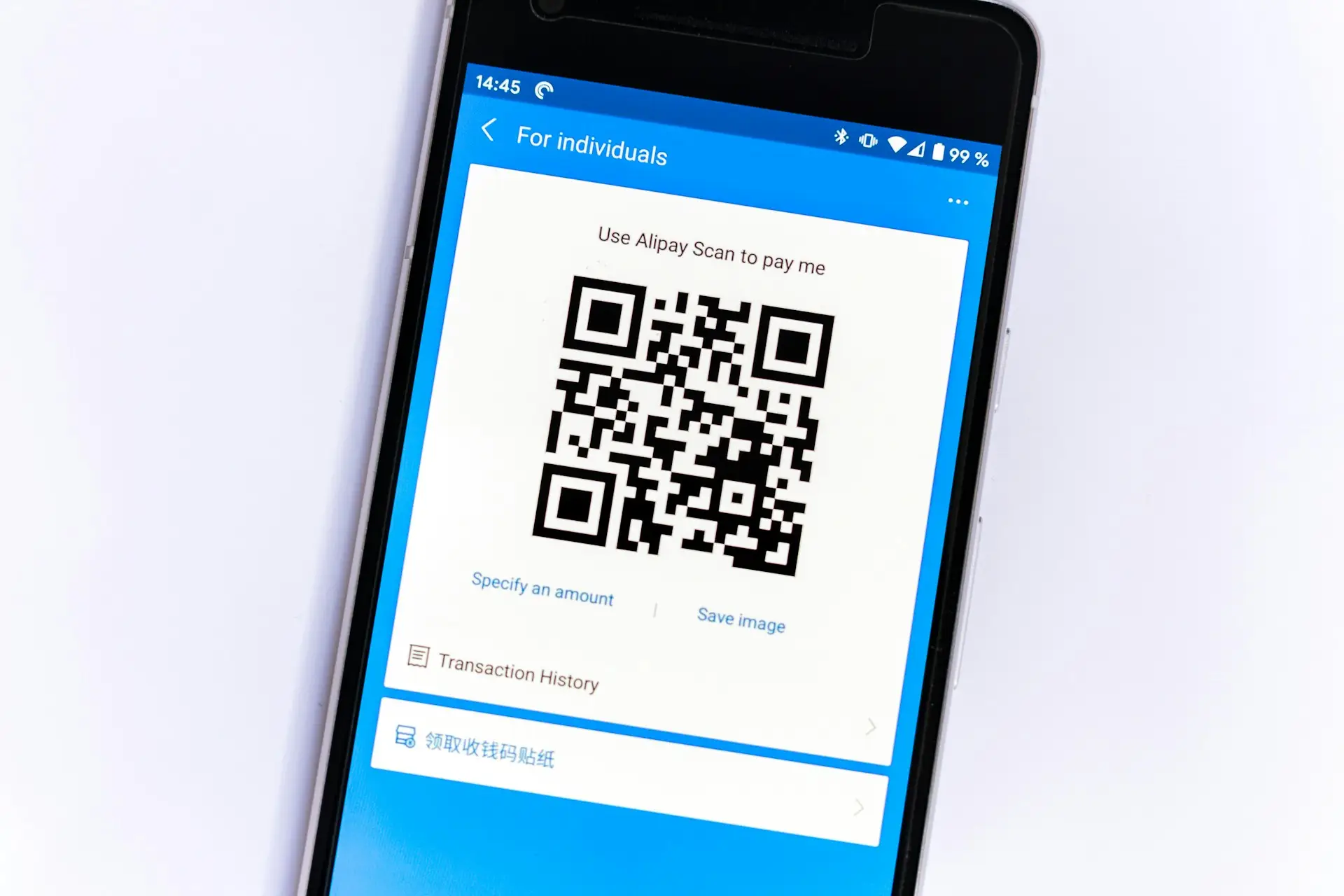
Découvrez des stratégies efficaces pour protéger votre entreprise contre les attaques d'hameçonnage par code QR, renforcer la sécurité de vos courriels et mettre en œuvre des mesures de cybersécurité robustes.
Élever les normes de sécurité des courriels avec Topsec Inbox Protect
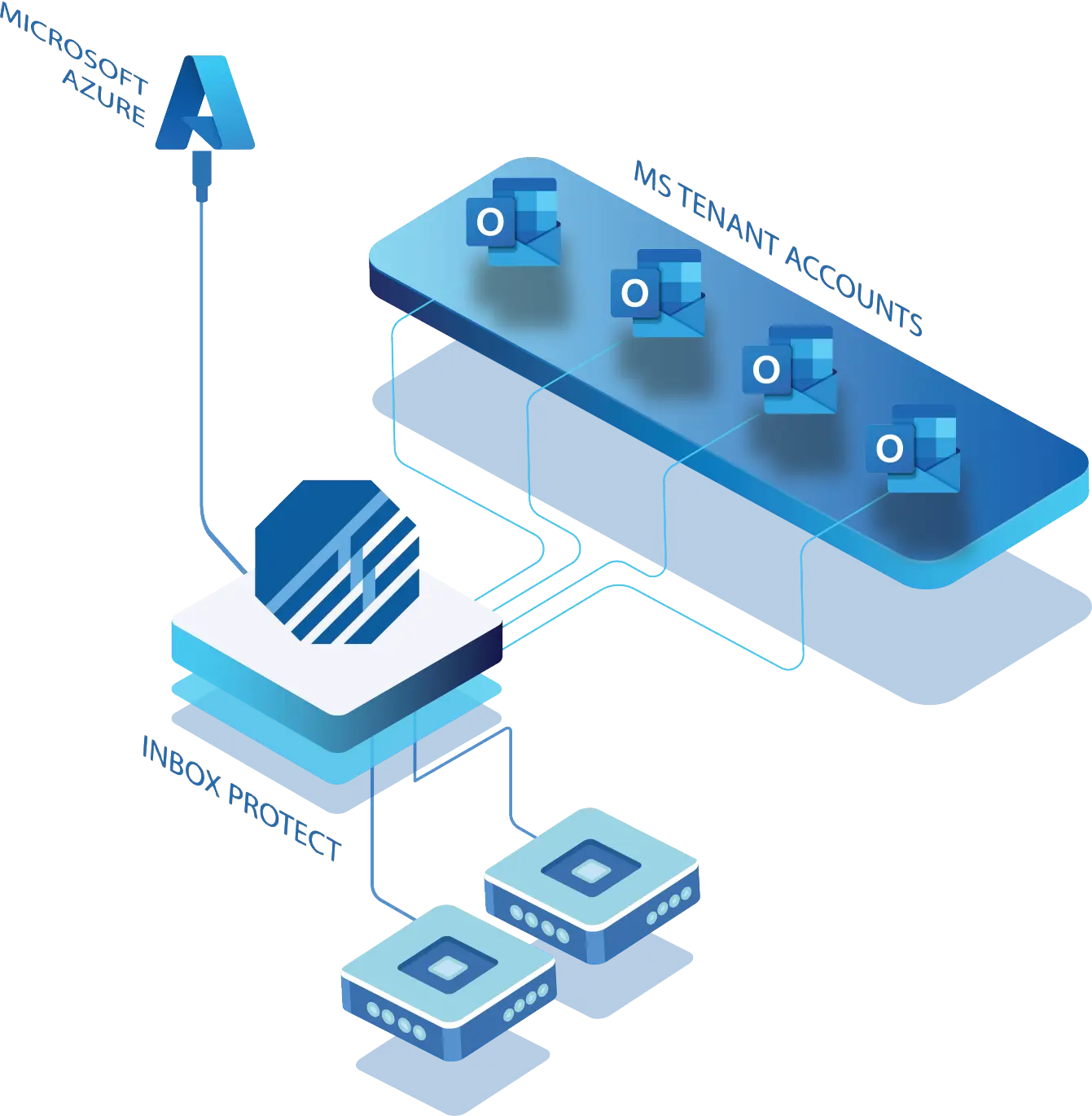
Topsec Inbox Protect:Protect Internal Email Elevate Your Email Security Get a Quote Download Datasheet Email Security > Elevating Email Security Standards with Topsec Inbox Protect By Cian Fitzpatrick | 26th March 2024 In today’s interconnected digital world, email remains the backbone of communication for businesses. It’s email that serves as the conduit for vital information exchange, collaboration and workflow management. However, alongside its undeniable usefulness comes an avalanche of cyber threats that continually test the efficacy of existing security measures. For this reason, organisations need to adopt a zero tolerance approach. And get as tough as nails on anything that even remotely looks like a hack! Platforms like Microsoft Office 365 (O365) provide a layer of email protection, but by no means does this represent enough. The evolving nature of cyber threats necessitates a proactive approach to safeguarding email communications with a multi-layered approach. Enter Topsec Inbox Protect – a comprehensive solution designed to fortify internal mail security and shield organisations from a myriad of potential threats. Inbox Protect and Microsoft 365 Inbox Protect works and is compatible with your Microsoft Tenant. Understanding the Essence of Topsec Inbox Protect At its core, Topsec Inbox Protect represents the toughest defence yet in the realm of email security. By seamlessly integrating with Microsoft users’ mailboxes, it offers an additional layer of protection against malicious entities seeking to exploit vulnerabilities within internal mail systems. Simple and effective, Inbox Protect streamlines the setup process, ensuring that organisations can bolster their email security posture without undue complexity or disruption to daily operations. Mitigating Common Threat Vectors Despite the best efforts of traditional email security measures, certain threats persistently find their way into users’ inboxes, posing significant risks to organisational security and integrity. This shouldn’t come as any great shock when we take into account that 91% of all cyber attacks come through email. Phishing attacks, in particular, continue to plague organisations worldwide, with cybercriminals employing sophisticated tactics to deceive unsuspecting users and extract sensitive information. Don’t forget, cyber criminals are as versed in human psychology as they are in technology. Through advanced scanning algorithms and real-time threat detection capabilities, Topsec Inbox Protect acts as a stalwart guardian, identifying and neutralising phishing attempts before they can inflict harm. But phishing isn’t your only problem. The spectre of malware and ransomware looms large, presenting a clear and present danger to organisations of all sizes. These insidious threats not only jeopardise sensitive data but also disrupt critical business operations, potentially resulting in significant financial losses and reputational damage. With attachment virus scanning and real-time mail monitoring, Inbox Protect stands as a bulwark against such pernicious threats, fortifying organisations’ defences and mitigating the risk of data breaches and system compromise. Is M365 fully protecting you against all email borne attacks? Get A Quote Embracing a Second-Layered Security Approach Cyber threats are both omnipresent and ever-evolving, a holistic approach to email security is paramount. When organisations speak about building a moat, email security has to be included in the strategy if you want to ensure growth and sustainability. Topsec Inbox Protect complements existing security measures by providing a second-layered defence mechanism, thereby augmenting organisations’ resilience to emerging threats. By fortifying both internal and external mail systems, Inbox Protect establishes a comprehensive security perimeter, safeguarding against a broad spectrum of potential attack vectors. The ease of setup and deployment further underscores Inbox Protect’s appeal, enabling organisations to bolster their email security posture with minimal overhead and administrative burden. Furthermore, the ability to retroactively scan historical mail within a 14-day timeframe ensures that organisations remain vigilant against threats from both past and present communications. This enhances overall security efficacy and incident response capabilities. Key Advantages of Topsec Inbox Protect Adding Inbox Protect to your “email security stack” will provide your organisation with a number of benefits: 1. Comprehensive Inbox and Subfolder Protection Ensures thorough scanning and detection of malicious content within primary inboxes and subfolders, thereby minimising the risk of undetected threats. 2.Real-time Internal Mail Scanning: Provides continuous monitoring of internal mail traffic, enabling swift detection and neutralisation of potential threats in real-time. 3. Attachment Virus Scanning: Employs advanced scanning techniques to scrutinise email attachments for malware and ransomware payloads, mitigating the risk of infection and data loss. 4. Spam Content Scanning: Identifies and removes spam and unwanted email content, thereby reducing the likelihood of data exposure and compromising sensitive information. 5. Known Bad Mail Address and Domain Check: Verifies sender addresses and domains against known malicious entities, preventing unauthorised access and fortifying organisational defences. 6. URL Rewriting and Detailed URL Analysis: Proactively rewrites URLs and conducts comprehensive analysis of embedded links, mitigating the risk of users inadvertently accessing malicious websites and falling victim to phishing scams. 7. Sandboxing: Introduces attachment sandboxing to internal email, exploding attachments within a dedicated virtual environment for in-depth analysis. 8. URL Triggering: Tracks all URLs within the tenant and forces deletion of emails that become triggered post delivery. How Topsec Inbox Protect Works Cyber Threats Are Only Increasing It’s no fun to be the harbinger of bad news. But at the same time, pretending a threat doesn’t exist is the fastest way to fall prey to one. Cyber attacks are increasing. Every organisation that wants to safeguard their data assets and maintain operational continuity needs to prioritise email security. Why not test Inbox Protect with a 7 day free trial? Your inbox, reputation and customers will thank you for taking the extra step to protect your inbox. And the cyber criminals will be thwarted before they even start. That’s a win/win in our book! Protect your internal email with topsec inbox protect Contact Us
Rançongiciel et sécurité des courriels : un guide complet pour protéger vos actifs numériques
Ransomware andEmail Security A Comprehensive Guide to Protecting Your Digital Assets Get a Quote Download Datasheet Email Security >Ransomware Ransomware and Email Security: A Comprehensive Guide to Protecting Your Digital Assets By Cian Fitzpatrick | 14th February 2024 Ransomware attacks have escalated rapidly in the first few months of 2024. And while they were always a formidable threat to individuals and businesses alike, these attacks are becoming even more sophisticated. But all is not lost. As Deloitte’s report explains, 91% of all cyber attacks come through email. That gives us the first clue as to how to withstand being In the crosshairs of ransomware attacks. Namely, email security emerges as a frontline defence, pivotal in thwarting the advance of malicious actors. To do this, it’s important to understand the intricacies of ransomware and how fortifying your email protocols can significantly mitigate the risk of a devastating breach. In this article, you will learn: The nature and evolution of ransomware threats. Best practices for enhancing email security. How to create a robust response plan for ransomware attacks. Investing in your email security is a strategic business move that has benefits across your whole organisation. Now that it’s Spring, why not spring clean your inbox to protect your digital assets against the growing tide of ransomware threats through strategic email security measures. Understanding Ransomware DMARC stands for Domain-based Message Authentication, Reporting, and Conformance. This protocol, integrating SPF (Sender Policy Framework) and DKIM (DomainKeys Identified Mail), is crucial in verifying email authenticity. In turn, ensuring an email really is from who it says it is from reduces the risk of cyber threats such as phishing and spoofing. Now we can see the Valentine’s link! Verifying your email authenticity is how you treat your email recipients well! The Critical Role of Email in Ransomware Attacks Email remains the most common vector for ransomware attacks, serving as a direct line for attackers to deliver malicious payloads to unsuspecting victims. This is a sobering thought, but it’s also an encouraging one. Shore up your email security and you go a long way to securing your whole business. The simplicity and effectiveness of email-based tactics, combined with the human factor of curiosity or negligence, make email a preferred tool for cybercriminals. Ransomware is often spread through phishing emails that masquerade as legitimate communications from trusted entities. These emails might contain malicious attachments or links that, once clicked, initiate the ransomware infection process. For example, a seemingly benign PDF or Word document attached to an email can, when opened, unleash ransomware onto the user’s system. Similarly, links embedded within the email body can redirect users to compromised websites designed to download ransomware directly onto their devices. Protect your organisation against ransomware attacks Get A Quote Enhancing Email Security to Combat Ransomware Even with robust preventive measures in place, the possibility of a ransomware attack cannot be entirely eliminated. For this reason, having a comprehensive ransomware response plan is crucial for minimising damage and swiftly restoring operations. Key components of an effective response plan include immediate isolation of infected systems, identification of the ransomware variant, a communication strategy, engagement with cybersecurity professionals, recovery and data restoration and post-incident analysis and strengthening defences. Developing a Ransomware Response Plan Google and Yahoo will start rejecting a portion of email correspondence from users who don’t comply fully by the deadline in the coming months. You may receive particular error codes and messages if your emails are refused because they don’t follow these new guidelines. These codes are useful bits of information that can help you solve the problems; they are not just arbitrary strings of characters and numbers. Case Studies: Successful Defense Against Ransomware These case studies have been compiled from an amalgamation of real world examples to highlight the importance of preparedness, the efficacy of comprehensive email security and the benefits of having a rapid response plan. 1. Example of a Phishing Email Leading to Ransomware Infection. Imagine a finance manager at a mid-sized company receives an email that appears to be from their CEO, requesting urgent review of an attached invoice. The email looks legitimate, complete with the CEO’s email signature and company logo. However, the attachment is actually a malicious file that, once opened, encrypts the company’s financial data and demands a ransom. This example illustrates the sophistication of phishing attempts and the importance of verifying email contents before opening attachments. 2. Example of a ransomware attack on a small business without a backup plan. A small retail business falls victim to a ransomware attack after an employee clicks on a malicious link in an email. The ransomware encrypts their sales and inventory data, causing the business to halt operations. Without recent backups, the business faces a dilemma: pay a hefty ransom with no guarantee of data recovery or attempt to rebuild its data from scratch, risking significant financial and reputational damage. This scenario highlights the critical need for regular data backups as part of a comprehensive cybersecurity strategy. 3. Successful Mitigation of a Ransomware Attack Through Quick Response. An IT administrator at a law firm notices unusual network activity and quickly identifies it as a ransomware attack in progress. By immediately isolating the infected systems and deploying the firm’s response plan, the administrator prevents the ransomware from spreading to critical case files. Thanks to well-maintained and encrypted off-site backups, the firm is able to restore the affected systems without paying the ransom, showcasing the effectiveness of a rapid response and robust backup strategy. The Ransomware Menace The menace of ransomware looms large. It’s also not going away anytime soon (if ever). But understanding its workings and prioritising email security can significantly reduce your vulnerability to attacks. Our intention with this article has been to explore the evolution of ransomware, the critical role of email in its dissemination, and actionable strategies for fortifying your defences against these cyber threats. Additionally, the development of a comprehensive ransomware response plan cannot be over exaggerated, nor the lessons learned from successful
Améliorer la sécurité des courriels avec DMARC : un incontournable pour les entreprises en 2024

Navigating the New DMARC Landscape Google & Yahoo’s 2024 Regulations & Error Codes Get a Quote Download Datasheet Email Security >DMARC Navigating the New DMARC Landscape: Google & Yahoo’s 2024 Regulations It can seem strange to link Valentine’s Day with DMARC rules, but the month of love has something to tell us about how we treat our email recipients. And the two largest email platform providers in the world are driving this point home. As of February 2024, Google and Yahoo have implemented stringent DMARC (Domain-based Message Authentication, Reporting, and Conformance) regulations, significantly impacting how businesses handle email security. For years, Topsec Cloud Solutions has been at the forefront of guiding companies through all of their email security needs. We’re here to do the same with the latest rules. Follow the advice in this blog to ensure your firm is fully compliant with the DMARC requirements. By Cian Fitzpatrick | 14th February 2024 Understanding DMARC and Its Importance in Email Security What is DMARC? DMARC stands for Domain-based Message Authentication, Reporting, and Conformance. This protocol, integrating SPF (Sender Policy Framework) and DKIM (DomainKeys Identified Mail), is crucial in verifying email authenticity. In turn, ensuring an email really is from who it says it is from reduces the risk of cyber threats such as phishing and spoofing. Now we can see the Valentine’s link! Verifying your email authenticity is how you treat your email recipients well! The Mechanics of DMARC: SPF and DKIM The DMARC protocol hinges on two foundational elements: SPF, which confirms the origin of incoming emails. And DKIM, employing asymmetric encryption to authenticate emails and prevent identity forgery. The Impact of Google and Yahoo’s DMARC Rules on Businesses Adapting to the New Standards The recent mandate from Google and Yahoo necessitates businesses sending over 5,000 emails daily to adopt DMARC technology. This move is aimed at reinforcing trust in digital communications and safeguarding against electronic fraud. Therefore it’s safe to say that adopting DMARC rules in your own organisation is not only a compliance issue. It’s a strategic move towards strengthening your email integrity, fortifying your cyber threat defences and ultimately taking care of your brand’s reputation. In this era, where email communication forms the backbone of corporate communication, ensuring that emails are verified and trusted has never been more critical. Your emails are the vital conduit between you and your customers. For this reason, businesses must understand that DMARC implementation is more than a technical requirement. It’s a commitment to upholding the highest standards in digital communication. By aligning with these new standards, businesses can demonstrate their dedication to cybersecurity. This goes a long way to enhancing your reputation and building stronger relationships with clients who value security and reliability. Moreover, with the proliferation of sophisticated phishing attacks and email scams, DMARC acts as a frontline defence, ensuring that the emails businesses send and receive are legitimate and safe. Start your free dmarc trial today Start Trial The Consequences of Non-Compliance Failing to align with these standards could lead to significant communication barriers, as emails may be rejected by these platforms. This change underscores the importance of adopting DMARC not just for compliance but for enhancing digital security and maintaining corporate integrity. If your organisation doesn’t comply with these rules, email rejection will be just one of the consequences you face. You’ll also need to account for diminished brand reputation. It’s not difficult to see how customers and partners would lose trust in an organisation’s ability to secure its communication channels. In the worst-case scenario, businesses may find themselves vulnerable to cyber-attacks, including phishing and spoofing. The devastating consequences of these attacks, ranging from data breaches to financial losses, are frequently reported in the media. Moreover, non-compliance could also translate into legal challenges, especially for businesses in industries regulated for data protection and privacy. Therefore, it is imperative for organisations to understand that adhering to these new email security standards is not an option but a necessity. The proactive adoption of DMARC can serve as a badge of honour, showcasing a company’s commitment to security and modern best practices in digital communication. So there’s a marketing and business development win here too. Recognising Various Google & Yahoo Error codes Google and Yahoo will start rejecting a portion of email correspondence from users who don’t comply fully by the deadline in the coming months. You may receive particular error codes and messages if your emails are refused because they don’t follow these new guidelines. These codes are useful bits of information that can help you solve the problems; they are not just arbitrary strings of characters and numbers. Google Error Codes Google offers transparent explanations for each email rejection. These are a few of the error codes that you can see if you don’t follow Google’s guidelines for senders. 550, “5.7.26” Unauthenticated email from domain-name is not accepted due to domain’s DMARC policy. Please contact the administrator of domain-name domain. If this was a legitimate mail please visit Control unauthenticated mail from your domain to learn about the DMARC initiative. If the messages are valid and aren’t spam, contact the administrator of the receiving mail server to determine why your outgoing messages don’t pass authentication checks. 550, “5.7.26” This message does not have authentication information or fails to pass authentication checks (SPF or DKIM). To best protect our users from spam, the message has been blocked. 550, “5.7.26” This message fails to pass SPF checks for an SPF record with a hard fail policy (-all). To best protect our users from spam and phishing, the message has been blocked. 550, “5.7.1” The IP you’re using to send mail is not authorized to send email directly to our servers. This usually happens when the IP address used has been blacklisted. You can access the full list of Googles error codes here. Yahoo Error Codes The error codes you’ll encounter due to non-compliance with Yahoo’s sender requirements are 5xx (553 and 554). Here’s what receiving these error codes indicates: Authentication failures Your email failed one or more authentication checks
Naviguer dans les défis de la sécurité des courriels : les tendances de 2023 montrent la voie à suivre pour 2024
Email Security 2024:Overcoming Challenges faced in 2023 Here are the top Email Security trends that we think will shape 2024. Get a Quote Download Datasheet Email Security > Navigating Email Security Challenges: Trends of 2023 Pave The Way Forward for 2024 As we progressed through 2023, the digital landscape witnessed a continuous evolution in email security threats. In 2024, these challenges are not just growing in number, but also in sophistication, making it imperative for businesses to adopt robust security measures. In this detailed exploration, we will uncover the trends that have defined email security in 2023 and share the comprehensive solutions that Topsec Cloud Solutions offers to counter these threats effectively in the next 12 months. By Cian Fitzpatrick | 18th January 2024 Topsec’s Key Email Security Trends Observed for 2023 Post-Delivery URL Threats The year marked a significant rise in URLs that initially appear safe but later transform into gateways to malicious websites. This sophisticated tactic evades conventional security measures, as the harmful nature of the URLs activates only after they have bypassed initial security screenings. This trend underscores the need for more dynamic, real-time security solutions capable of responding to threats as they evolve. In response to this challenge, Topsec’s URL Scanner offers a robust solution by providing real-time scanning of URLs. It effectively identifies and neutralizes threats even after the URLs have been initially cleared, ensuring continuous protection against these evolving cyber threats. Malicious File Shares Increasingly, attackers are embedding malicious content in shared files. These files often appear benign and pass through security checks unnoticed. Once opened, they can unleash malware or lead to data breaches. This trend highlights the need for more advanced file scanning technologies that can detect hidden threats within shared documents. OneDrive as a Delivery Method The trust placed in OneDrive, due to its integration with Windows, has been exploited by cybercriminals. They use it as a conduit for delivering malware, relying on the inherent trust users have in the platform. This method’s rise in popularity calls for more nuanced security measures that can differentiate between legitimate and malicious OneDrive links. In response to this growing threat, Topsec’s Office 365 Email Security Solutions offer robust protection mechanisms specifically designed to intercept and neutralize such threats before they reach users. By employing advanced scanning technologies, Topsec ensures that only safe, verified content is allowed through, enhancing the security of your digital communications within Office 365. Malicious QR Codes The use of QR codes in emails and attachments as a means to redirect users to harmful websites post-delivery has become more frequent. Known as quishing, these QR codes often change their destination URLs after passing initial security checks, making them a formidable threat to track and neutralise. Impersonation Scams The sophistication of impersonation scams has grown, with attackers expertly mimicking legitimate entities to deceive users. This trend has been exacerbated by the increased use of digital communication, making it harder to distinguish between genuine and fraudulent interactions. Lack of Proper Setup (SPF, DKIM, DMARC) A notable number of organisations still fall short in setting up proper email authentication protocols like SPF, DKIM and DMARC. This oversight leaves them vulnerable to spoofing and phishing attacks. Proper implementation of these protocols is essential for authenticating email sources and maintaining email integrity. Stay a step ahead of malicious actors Get Quote Phishing Awareness Deficit Despite heightened awareness, phishing remains a prevalent threat, with many users still falling victim to these scams. This trend highlights the ongoing need for comprehensive phishing awareness programs that educate users about the subtleties of these attacks and how to avoid them. Multiple Admin Access Issues The practice of multiple administrators having access to a single account has introduced significant security risks. This approach can lead to confusion, oversight, and increased vulnerability to coordinated attacks targeting admin credentials. Supply Chain Compromises Supply chain issues, exacerbated by global economic and geopolitical factors, have led to increased vulnerabilities in email security. These compromises affect organisations at multiple levels and require a more integrated approach to security that considers the entire supply chain. Challenges of Hybrid/Remote Work The shift towards hybrid and remote work models has introduced new challenges in email security. Remote work environments often lack the robust security infrastructure of office settings, making them more susceptible to email-based attacks. Burnout in Cybersecurity The increasing complexity and volume of threats have led to burnout among cybersecurity professionals. This human factor can significantly impact an organisation’s ability to effectively manage and respond to security threats. Direct Forwarding Risks The convenience of direct forwarding features in email systems has been exploited by attackers, leading to security breaches. Attackers manipulate these features to reroute sensitive information, often without the original sender’s knowledge. This trend calls for a more comprehensive monitoring of email flow within organisations to detect and prevent unauthorised forwarding. How Topsec Cloud Solutions Can Help? Inbox Protection Topsec’s advanced Inbox Protect provides a robust defence against the sophisticated threats outlined above. Our solution employs cutting-edge technology for dynamic scanning, real-time threat detection, and adaptive response mechanisms. This approach ensures that emerging threats are identified and neutralised promptly, safeguarding your email communications against the latest tactics used by cybercriminals. VIP Impersonation Stamp Our VIP Impersonation Stamp technology is a game-changer in combating impersonation scams. It employs advanced algorithms to analyse email content and sender information, flagging potential impersonation attempts. This tool is particularly effective in protecting high-profile individuals within organisations, who are often the targets of such attacks. Implementing DMARC/DKIM Implementing DMARC and DKIM protocols is no longer optional but a necessity in today’s digital landscape. Topsec assists organisations in setting up these protocols, ensuring that emails are authenticated at their source and maintaining the integrity of email communications. Our experts guide you through the implementation process, ensuring these protocols are configured correctly to provide maximum protection. Phishing Awareness Programs Awareness is the first line of defence against phishing attacks. Topsec’s comprehensive phishing awareness programs are designed to educate employees on the latest phishing tactics,
Sécuriser votre ligne de vie numérique : le guide essentiel pour la sécurité du courriel

Securing Your Digital Lifeline: The Essential Guide to Email Security Know why email is still the number one attack vector and why email security matters Get a Quote Download Datasheet Email Security > Securing Your Digital Lifeline: The Essential Guide to Email Security As we close 2023, it’s worth exploring the critical importance of email security in our comprehensive guide. Cyber criminals are becoming more sophisticated. Therefore, developing actionable strategies to safeguard your emails in 2024 against phishing, malware and other cyber threats is time well-spent. In an era where digital communication is ubiquitous, the significance of email security cannot be overstated. As reported by HubSpot, an astonishing four billion individuals engage in daily email usage, making it a prime target for cybercriminals. But the good news is there are plenty of practical ways to shield your precious data from potential data risk. Understanding and preempting these risks ensures your peace of mind, and the peace of mind of your customers, with the assurance that your email exchanges are well-protected. By Cian Fitzpatrick | 21st December 2023 Why Email Security Matters Confidentiality Emails are often repositories of sensitive data – personal details, financial information and/or even strategic business plans. The lack of robust security measures can lead to dire consequences if this data falls into the wrong hands. Prioritising email security is key to maintaining the confidentiality of your digital conversations and safeguarding critical data. Privacy Your inbox is a vault of private interactions, ranging from personal chats to confidential business dealings. Unauthorised intrusion into your email can severely compromise your privacy. Implementing stringent security measures is essential to protect your personal data from prying eyes. We share how below. Data Integrity Ensuring the integrity of your emails is vital. It guarantees that the information relayed remains authentic and unaltered during transmission. Strong email security protocols can thwart unauthorised changes, thus maintaining the reliability and authenticity of your digital correspondence. Protection Against Malware and Phishing Attacks Email is a common conduit for cyber-attacks, including malware and phishing schemes. Cybercriminals often deploy sophisticated methods to deceive and gain unauthorised access to sensitive data. Robust email security measures are crucial in detecting and intercepting suspicious emails, reducing the risk of such attacks. Compliance with Regulations Various industries enforce regulations to safeguard sensitive data. Compliance is essential to avoid legal repercussions and reputational harm. Strong email security practices help businesses meet these requirements, protecting their customers’ and partners’ sensitive information. Stay a step ahead of malicious actors Get Quote Best Practices for Email Security Strong Passwords Use complex, unique passwords for email accounts. It’s one of the easiest ways to protect yourself, yet many people still use passwords that can be easily deciphered. Avoid predictable information like birth dates. Password managers can aid in generating and securely storing robust passwords. Two-Factor Authentication (2FA) Enhance security by enabling 2FA. This requires a secondary verification method, such as a text message or app, in addition to your password. This is vital even if your password is compromised. Beware of Phishing Emails Be cautious with emails that request personal info or urge you to click on dubious links. Look out for signs of phishing like misspellings, odd URLs or undue urgency. Verify the email’s legitimacy through a separate channel if in doubt. Regular Updates Keep your email client, antivirus, and operating systems updated. This protects against known vulnerabilities. Install updates promptly for the latest security enhancements. Email Encryption Encrypt sensitive emails for an additional security layer, ensuring only the intended recipient can view the content. Utilise your email provider’s encryption options or third-party tools for heightened security. Regular Backups Back up your emails to protect against accidental deletion or security breaches. Cloud-based solutions or local backups can ensure message and attachment recovery. Caution on Public Wi-Fi Avoid accessing email on public Wi-Fi networks to prevent data interception. Use a VPN for a secure connection when necessary. Why Is Email the Number 1 Attack Vector? Emails are a prevalent initial infection vector due to their universal use and the volume of emails employees handle. This creates a false sense of security, which cybercriminals exploit through phishing attacks. With the growth of cloud-based email, these attacks have become more frequent and effective. The Phishing Threat Phishing emails exploit social engineering to target organisation employees. These emails can lead to credential theft, installation of malware, or broader network access for cybercriminals. Over 90% of cyberattacks start with a phishing email, underscoring their effectiveness. Exploiting Cloud Email The rise of cloud computing has opened new attack vectors via cloud-based email and document sharing services. Attackers often masquerade phishing emails as legitimate shared documents to steal credentials and access sensitive company data. The Potential Damage of Malicious Emails Phishing emails can result in credential theft, fraudulent payments, Trojan installations, or ransomware delivery. These attacks only require one employee to be successful, but often target multiple employees to increase their chances. Why Built-In Security Isn’t Enough Many organisations rely on default security settings from their email providers, which are insufficient against various threats like zero-day malware, social engineering and employee negligence. Comprehensive email security solutions must go beyond these basic measures to effectively counteract sophisticated cyber threats. Advanced Threat Protection Utilising advanced threat protection (ATP) tools is essential in identifying and neutralising sophisticated email threats. ATP solutions use machine learning and heuristics to detect anomalies and patterns indicative of malicious activity, providing a more dynamic defence against evolving cyber threats. User Education and Awareness One of the most effective defences against email-based threats is an informed and vigilant workforce. Regular training sessions on identifying phishing attempts, safe email practices, and the importance of security protocols can significantly reduce the risk of successful cyber attacks. Regular Security Audits Conducting periodic security audits of your email systems can reveal vulnerabilities and compliance issues. These audits should assess all aspects of email security, from infrastructure to user practices, ensuring that every component of your email ecosystem is secure. Implementing Email Authentication Protocols Adopting email
Renforcer la sécurité Microsoft 365 avec Topsec Inbox Protect
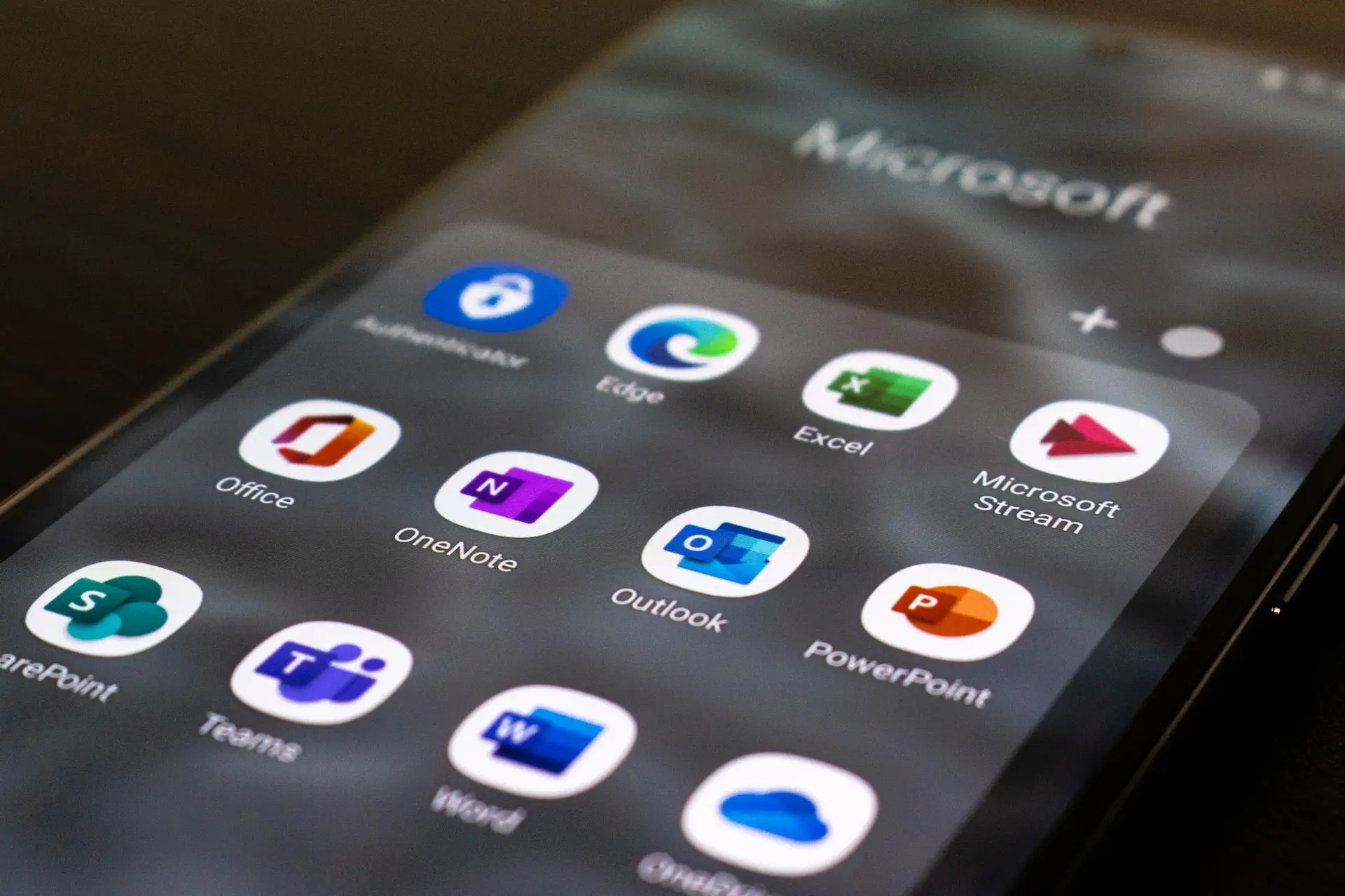
Renforcer la sécurité d'O365 avec Topsec Inbox Protect. Nous savons qu'une seule couche de protection O365 n'est pas suffisante pour sécuriser votre organisation. Demander un devis Télécharger la fiche technique Sécurité de la messagerie > Renforcer la sécurité de Microsoft 365 avec Topsec Inbox Protect. Avec plus de 250 millions d'utilisateurs mensuels, Microsoft 365 est un pilier de la productivité des entreprises. Cependant, sa popularité en fait aussi une cible de choix pour les cybercriminels. Cet article aborde le besoin crucial d'une sécurité renforcée pour Microsoft 365 et présente Topsec Inbox Protect comme une solution efficace pour pallier ces vulnérabilités. Par Cian Fitzpatrick | 15 décembre 2023. Problèmes de sécurité liés à Microsoft 365. La vaste base d'utilisateurs de Microsoft 365 comprend une quantité importante de données sensibles, ce qui attire les acteurs malveillants. Les problèmes de sécurité courants incluent : Élévation de privilèges : Les attaquants obtiennent un accès non autorisé au système. Pour atténuer ce risque, mettez en œuvre des contrôles de sécurité basés sur les rôles, des mises à jour régulières, l'authentification multifactorielle et la surveillance des accès privilégiés. Contournement de l'authentification multifacteurs : Les attaquants peuvent contourner l'authentification multifactorielle (AMF), d'où l'importance d'utiliser des techniques AMF avancées, de limiter les tentatives d'authentification et de sensibiliser les employés aux risques d'hameçonnage. Attaques d'hameçonnage : Jusqu'à 20 % des courriels d'hameçonnage échappent à la détection par les défenses de Microsoft 365, ce qui nécessite la formation des employés, la mise en place de filtres antipourriels et de simulations d'hameçonnage. Macros malveillantes : La désactivation des macros par défaut et l'utilisation d'un logiciel anti-malware peuvent empêcher l'exécution de code malveillant. Exfiltration de données : Pour lutter contre ce risque, utilisez des solutions DLP, le chiffrement, des pare-feu et sensibilisez les employés à la sécurité des données. Gardez une longueur d'avance sur les acteurs malveillants. Demandez un devis. Topsec Inbox Protect : Renforcement de la sécurité des courriels internes. Topsec Inbox Protect constitue une couche de défense essentielle, renforçant notamment la sécurité des courriels internes dans les environnements Microsoft 365. Comment Topsec Inbox Protect améliore Microsoft 365 : Analyse avancée du courrier interne. Dès réception d'un nouveau courrier interne, Inbox Protect effectue des vérifications de sécurité rigoureuses et met en quarantaine tout contenu suspect. Protection complète contre les menaces : Elle protège contre l'hameçonnage, les logiciels malveillants, les rançongiciels, la compromission de la messagerie professionnelle, le pourriel et les accès non autorisés. Stratégie de double défense : Associée à Microsoft 365, elle crée un système de défense à deux volets, renforçant considérablement la sécurité globale de la messagerie. Simplicité d'utilisation : Grâce à une configuration simple, Inbox Protect sécurise l'historique des courriels dans les 14 jours suivant son intégration. Principaux avantages : Sécurité accrue de la messagerie : Offre une protection supplémentaire contre un large éventail de menaces numériques. Risques réduits : Réduit les risques de fuites de données et d'accès non autorisés. Conformité améliorée : Se conforme aux exigences réglementaires, renforçant ainsi la conformité de l'organisation. Découvrez comment protéger vos collaborateurs. Contactez-nous. Conclusion : Dans l'environnement numérique actuel, se fier uniquement aux fonctionnalités de sécurité intégrées de Microsoft 365 est insuffisant. Topsec Inbox Protect offre une couche de sécurité supplémentaire essentielle, notamment pour les communications internes par e-mail. En intégrant cette solution, les organisations peuvent considérablement renforcer leurs défenses contre diverses cybermenaces, assurant ainsi un environnement numérique plus sécuritaire et plus résilient. Sécurisez votre environnement Microsoft 365 avec Topsec Inbox Protect. Obtenez un devis pour votre essai gratuit de Topsec Inbox Protect et renforcez la sécurité de votre messagerie dès aujourd'hui !
Naviguer dans la menace du « quishing » : un guide complet pour les entreprises
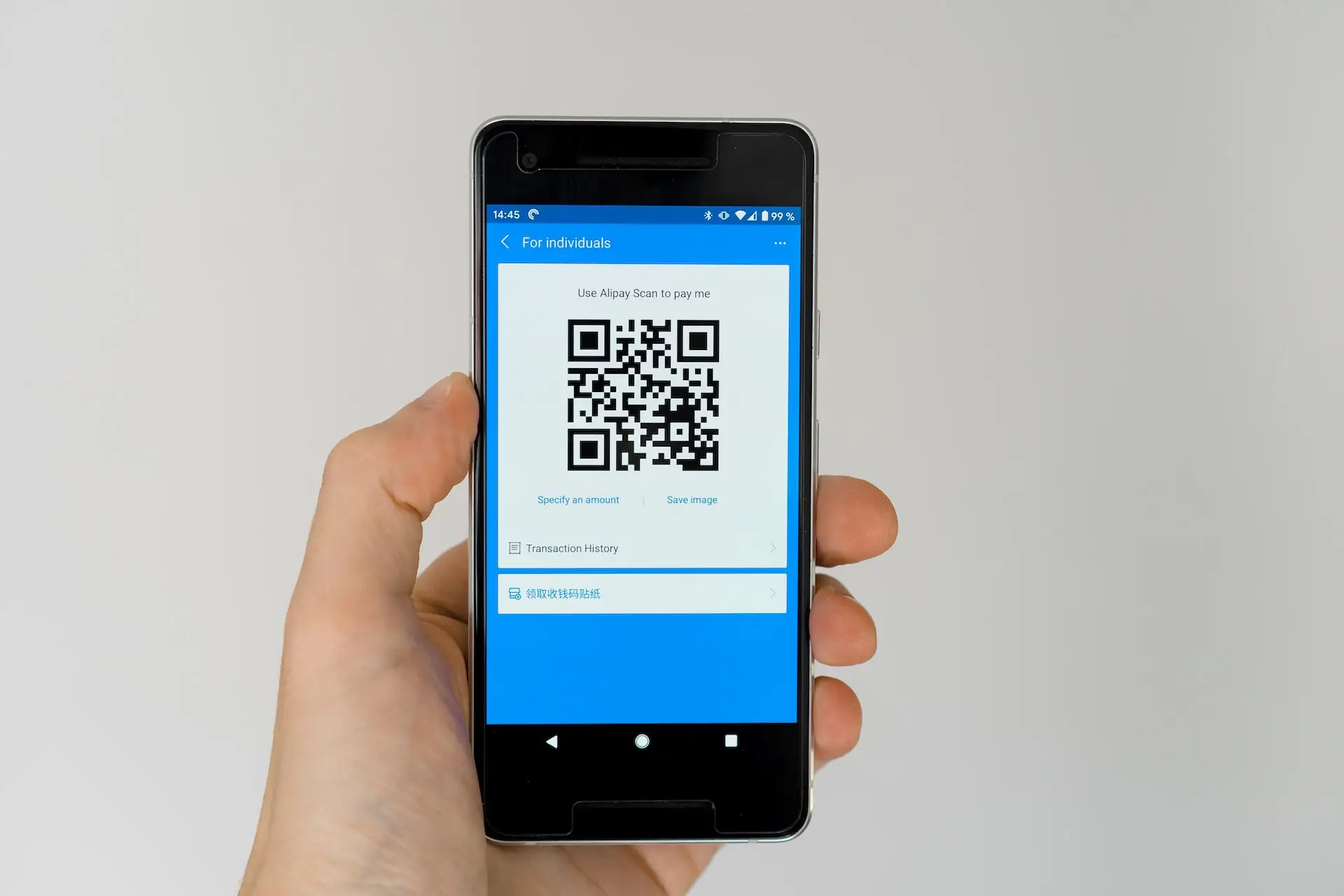
Démasquer le quishing : décoder l'hameçonnage par code QR Les attaques de quishing sont en hausse dans les courriels professionnels ; apprenez à les repérer et comment les contrer. Demander un devis Télécharger la fiche technique Sécurité du courriel > Phishing Démasquer le quishing : décoder l’hameçonnage par code QR dans le monde des affaires moderne L’intégration des technologies numériques dans les opérations commerciales a ouvert de nouvelles perspectives en termes de commodité et d’efficacité. Les codes à réponse rapide (QR) constituent une innovation remarquable à cet égard. Ces carrés remplis de symboles complexes simplifient l'accès à l'information comme jamais auparavant. Cependant, leur popularité croissante met également en lumière un nouveau type de cybermenace : le quishing, ou hameçonnage par code QR. Et le principal vecteur d’une attaque de quishing visant votre organisation ? Vos e-mails. (91 % de toutes les cyberattaques sont effectuées par e-mail.) Par Cian Fitzpatrick | 6 décembre 2023 Déchiffrer le quishing : un examen approfondi Qu'est-ce que le quishing exactement ? Le quishing est une cyberattaque où les codes QR sont utilisés comme arme pour exécuter des escroqueries par phishing. Cette technique combine l'omniprésence des codes QR avec des tactiques trompeuses pour inciter les utilisateurs à divulguer des renseignements personnels et financiers sensibles. Le fonctionnement du quishing : les arnaques par quishing impliquent généralement la création et la diffusion de codes QR frauduleux. Ces codes sont stratégiquement placés pour remplacer ou se superposer à des codes QR authentiques dans les lieux publics ou les entreprises. Lorsqu'une personne non avertie scanne ces codes, elle est redirigée vers des sites Web contrefaits. Ces sites, conçus pour imiter les sites légitimes, sont des pièges destinés à inciter les utilisateurs imprudents à entrer leurs données confidentielles. Quishing en situation réelle : études de cas. Étude de cas : le quishing dans les commerces et les espaces publics. Un cas notable de quishing s'est produit dans un commerce de détail où des arnaqueurs ont remplacé les codes QR des terminaux de paiement par des versions contrefaites. Les clients, voulant faire des paiements, ont été redirigés vers de faux portails de paiement, ce qui a entraîné le vol de leurs données de carte bancaire. Étude de cas : le quishing en entreprise. Dans un autre cas, une entreprise a été victime d'une attaque par quishing via des codes QR apparemment inoffensifs placés dans sa cafétéria. Ces codes, censés donner accès au menu du jour, redirigeaient les employés vers un site d'hameçonnage exigeant leurs identifiants de connexion professionnels. Mécanisme technique : Comment les pirates informatiques exploitent les codes QR Les pirates informatiques utilisent les codes QR pour rediriger leurs victimes vers des sites d'hameçonnage, dissimulant habilement leurs intentions malveillantes. Ces codes sont stratégiquement placés dans des lieux à fort passage ou au sein des organisations, les faisant passer pour des éléments légitimes de l'infrastructure. Les dangers cachés du quishing La subtilité du quishing réside dans sa capacité à se fondre dans l'utilisation quotidienne des codes QR, ce qui rend sa détection difficile. Le délai dans la détection d'une attaque de quishing aggrave son impact, car les données volées peuvent être exploitées longtemps avant que la faille ne soit identifiée. Gardez une longueur d'avance sur les acteurs malveillants Demandez un devis Renforcement des défenses : Stratégies d'entreprise contre le quishing Stratégies complètes pour la protection des entreprises 1. Sensibilisation accrue des employés Ateliers et formations réguliers pour sensibiliser les employés aux subtilités du quishing. 2. Sécurité avancée des codes QR : Utilisation de codes QR dotés de fonctionnalités de sécurité renforcées, telles que le chiffrement et le suivi, afin d'empêcher toute modification non autorisée. 3. Protocoles de cybersécurité approfondis : Mise en œuvre de solutions de cybersécurité avancées, incluant des systèmes anti-malware et anti-hameçonnage de nouvelle génération. 4. Surveillance et réponse proactives : Mise en place d'un mécanisme de surveillance robuste pour détecter et contrer rapidement toute tentative de quishing. 5. Utilisation sélective et responsable des codes QR : Promotion d'une culture d'utilisation prudente des codes QR, où les employés vérifient la source avant de scanner. Créer un environnement d'entreprise résilient face au quishing : À l'ère numérique, il est impératif pour la sécurité des entreprises d'anticiper les cybermenaces comme le quishing. En comprenant les mécanismes du quishing, en restant vigilantes face à ses manifestations, en appliquant des mesures de cybersécurité robustes et en favorisant une culture de sensibilisation et de vigilance, les entreprises peuvent se protéger efficacement contre ces attaques sophistiquées. La lutte contre le quishing ne se limite pas aux solutions technologiques. Il s'agit aussi de cultiver un environnement numérique informé et vigilant. Contactez Topsec dès aujourd'hui pour renforcer la sécurité du courriel de votre organisation. Nos études de cas clients illustrent le soin et l'engagement que nous apportons à notre travail. Notre équipe fera la même chose pour votre organisation. Découvrez comment protéger vos employés. Contactez-nous.
Qu’est-ce que le spear phishing?

What is Spear Phishing? It is considered to be the most potent form of attack, learn how you can prevent these attacks. Get a Quote Download Datasheet Email Security >Phishing What is Spear Phishing? Among different cyberattacks, spear phishing poses the most potent threat. Unlike standard “Spray and Pray” phishing, spear phishing is a highly targeted and deceptive form of attack. It integrates sophisticated social engineering techniques, often going unnoticed by its target. In addition, according to Symantec’s Internet Security Threat Report(ISTR), 65% of attackers relied on spear phishing attacks. So, it’s highly important to understand what spear phishing is to create a protective shield against it. By Cian Fitzpatrick | 16th November, 2023 Spear Phishing Definition Spear phishing is a type of phishing attack that targets highly specific individuals or roles within an organisation to acquire sensitive information. Spear phishing is much more effective than a standard phishing attack. The attacker does intensive research on their target and uses social engineering techniques to craft a message to make it seem to be from a legitimate source. For instance, they collect personal information about a target and send messages disguising themself as a trustworthy friend to acquire sensitive information. Types of Spear Phishing Attacks Some of the major spear phishing types are: 1. Whaling Phishing It is a highly targeted attack that targets high-profile or high-ranking individuals such as C-suite executives or board members. It also involves non-corporate targets such as celebrities or politicians. Attackers aim to fetch large sums of cash or acquire confidential information that can be used against them—no wonder it requires more research than any other form of spear phishing attacks. 2. Business Email Compromise(BEC) CEO Fraud The threat actors impersonate or hack into the email account of a senior executive, typically a CEO. And instruct lower-level employees to wire money into fraudulent accounts by creating a sense of urgency to make them act abruptly. Email Account Compromise(EAC) Attackers gain access to lower-level employees to send fraudulent emails and trick other employees into sharing confidential information. EAC is often used to acquire the credentials of senior executives to perform CEO fraud. Barrel Phishing It is a phishing attack where scammers send emails to a large number of recipients, pretending to be from a legitimate source. The scammers anticipate that at least one recipient will click on the link to steal sensitive information. Try Our Phishing Simulator Now Get Quote How Does Spear Phishing Attack Work? Spear phishing attack works in various stages; they are: Selection of Target Scammers choose individuals or organisations they want to target based on their goals, whether their goal is to gain large sums of money or sensitive information. Use of Reconnaissance Technique Before commencing the attack, the scammer gathers detailed information about the victim using social media platforms. Crafting Email By using gathered information, scammers craft a personalised email to make it look as if it’s from a legitimate source. This causes the target to immediately lower their guard. For instance, it could be a coworker, manager, or a trustworthy friend of the target. Call to Action Fraudulent emails often have a call to action to create a sense of urgency to ensure the attack works 100% of the time. In the heat of the moment, the target will click the link or download an attachment. This action can lead to serious consequences, including identity theft, data breaches, ransomware attacks, corporate espionage, etc. Covering Footprints After the attack, the scammer removes every trace of the attack to evade detection and prolongs access to the system. Common Targets of Spear Phishing Attacks Spear phishing attacks involve detailed research of a high-value or high-profile individual. Even though they are often time-consuming, they yield a higher anticipated reward than standard phishing attacks. Commonly targeted individuals of spear phishing attacks are: High profile individual Scammers target high-profile individuals like CEOs, politicians or celebrities to steal their sensitive information. Lower-level or New Employees Lower-level or newer employees often fall victim to phishing attacks, as they are frequently unaware of policies or procedures they must follow to prevent spear phishing attempts. Specific Group or Types of Employees Scammers target employees with access to sensitive or confidential information, such as HR or finance executives. Learn how you can protect your staff Contact Us Spear Phishing Characteristics Some of the characteristics of spear phishing are: Targeted Recipients Spear phishing employs highly personalised messages to target specific individuals or organisations. These messages focus on high-profile or high-value individuals, promising substantial rewards. Spear phishing targets specific individuals, unlike standard phishing, which targets a high volume of individuals. Personalised Messages Scammers on various social media platforms conduct intensive research on their targets to formulate emails that create a sense of familiarity, often leading to the disclosure of sensitive information. Sophisticated Tactics and Techniques Scammers use reconnaissance and social engineering techniques to carry out spear phishing attacks. The reconnaissance technique involves intensive gathering of information on a target. At the same time, social engineering techniques involve the manipulation of personality traits to make the target perform a certain action. Common Objectives Spear phishing takes on various forms, but the goal remains the same: extracting sensitive information such as credentials or credit card information. Links to Malicious Websites or Files Scammers use phishing emails, which include links to malicious websites or files created by threat actors, to extract sensitive information when recipients click on them. Common Techniques Used in Spear Phishing Attacks Some of the characteristics of spear phishing are: Social Engineering Techniques Spear phishing attacks thrive on social engineering techniques. They manipulate personality traits such as desire to be helpful or curiosity about events or news. Individuals let their guard down easily with this technique, enabling threat actors to leverage the situation to extract sensitive information. Suspicious Emails and Phone Calls Attackers, using generic or misspelt domains in their emails, disguise themselves as legitimate entities to reach out to their targets through emails and phone calls. Malicious Emails with Attachments or Links